
A potentially dangerous macro has been blocked
This behavior is a security feature introduced by Microsoft (active by default since early 2023 in Microsoft 365) designed to prevent malware and ransomware from spreading. When you open a macro-enabled file (.xlsm, .docm, accdr, accdb) that was downloaded from the internet, email, or even some cloud-synced folders (like OneDrive/SharePoint), Windows adds a “Mark of the Web” (MOTW)
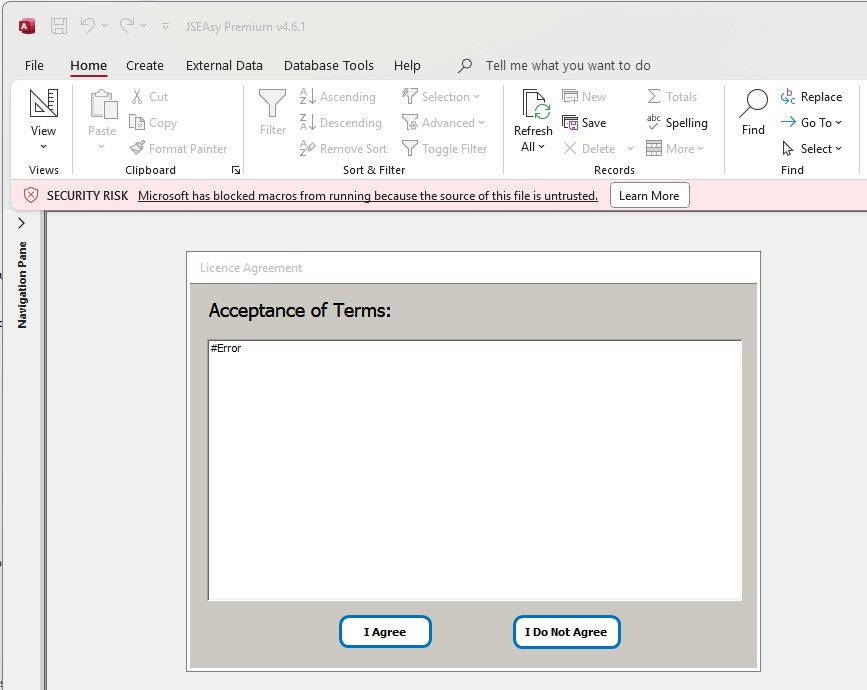
If this is happening to JSEAsy navigate to to folder where you have the program file JSEAsy.accdb and right click the file and select properties.
- Close the Program
- Locate the file in File Explorer.
- Right-click the file and select Properties.
- In the General tab, look at the bottom for the Security section.
- Check the box that says Unblock.
- Click Apply > OK.
- Reopen the program
The Permanent Method: Set a “Trusted Location”